Access the EPA Portal
Log in and explore the main dashboard
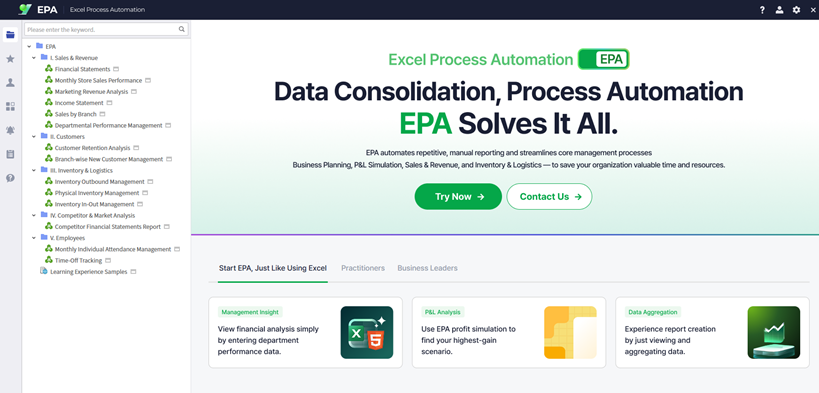
Navigate to epa.bimatrix.com and log in with your credentials.

Once logged in, you'll see the main dashboard. From the left-hand menu, you can explore existing dashboards or create new reports.
Tip: EPA transforms your Excel workflows into web-based automated reporting — upload Excel files for instant web viewing, handle data input/consolidation/analysis, and reduce manual work without requiring technical skills.
Share Reports on the Web
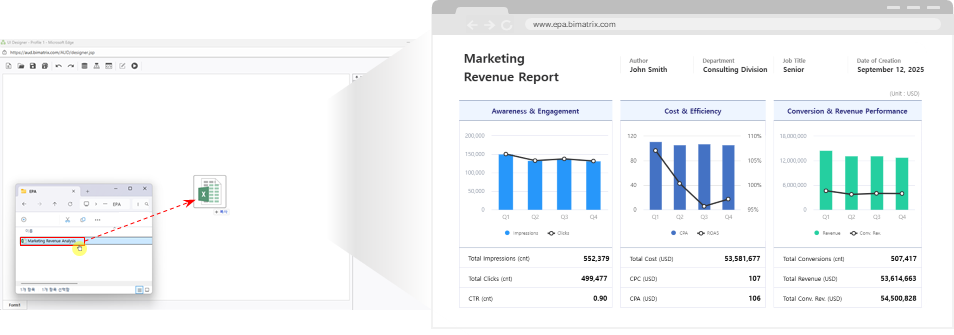
Convert Excel files to interactive web reports instantly
Drag and drop your Excel file — it is automatically converted into a fully interactive HTML5 web report.
- No emailing or version management needed
- Updates reflect immediately for all users
- Original Excel formatting is preserved in the web view
View by Date
Filter and analyze data in real-time with database connections
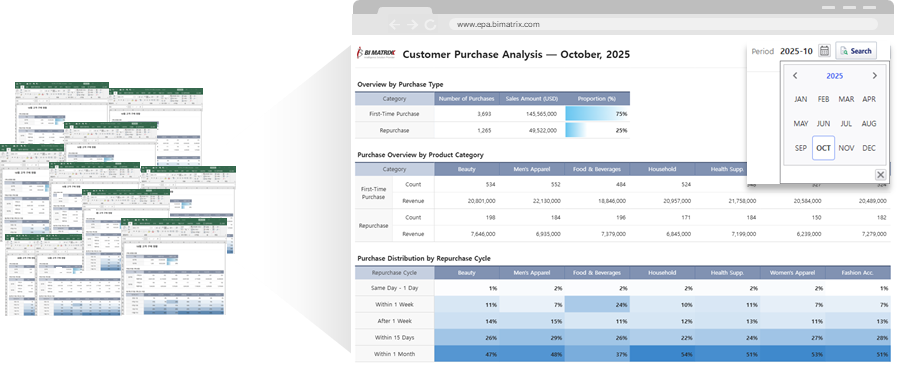
Connect to databases to filter, search, and analyze data in real-time without complex formulas.
- Use flexible conditions like month, department, or product
- Data updates dynamically based on selected filters
- No need to write complex Excel formulas
Create Input Screens
Experience a new way to input and manage data directly on the web
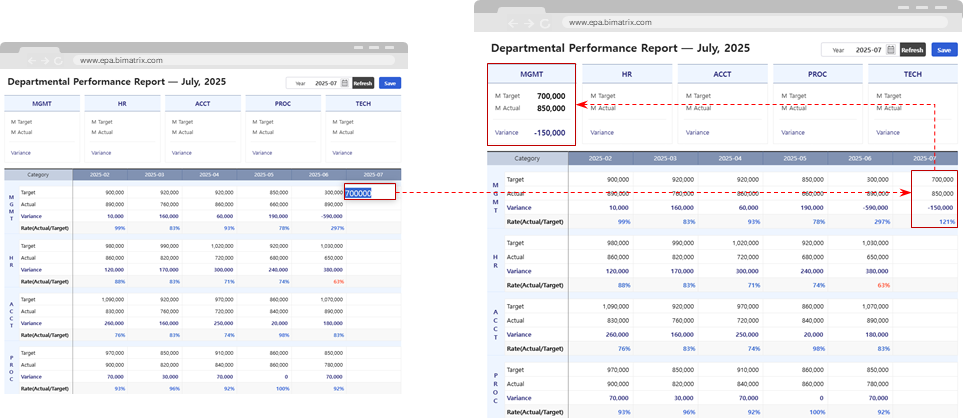
Replace the complex and cumbersome Excel-based collection process. EPA lets you use your existing Excel templates to collect data directly on the web in real time.
All entered data is automatically saved to an internal database, and can later be consolidated or analyzed in summary reports.
- Each contributor's input is automatically merged — no manual collection needed
- Consolidated data can be used immediately for analysis and report creation
- No emailing files or manually merging multiple sheets required
Tip: Work processes become simpler and more accurate while maintaining the familiarity of Excel forms. Explore the Learning Experience section for structured tutorials organized by category.