Prepare Your Excel File
Download the marketing revenue sample file
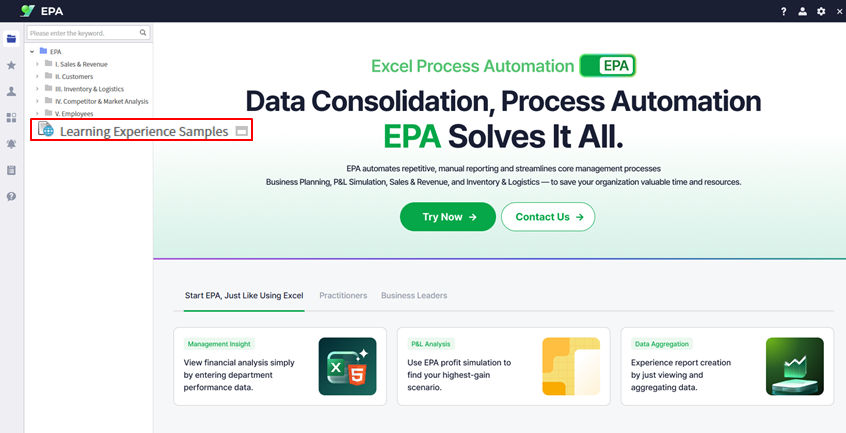
Download the marketing revenue report sample file from Learning Experience Samples. This Excel template contains the revenue data structure that you will convert into a web-based dashboard.
Convert Excel to Web
Use i-AUD Designer to transform your spreadsheet
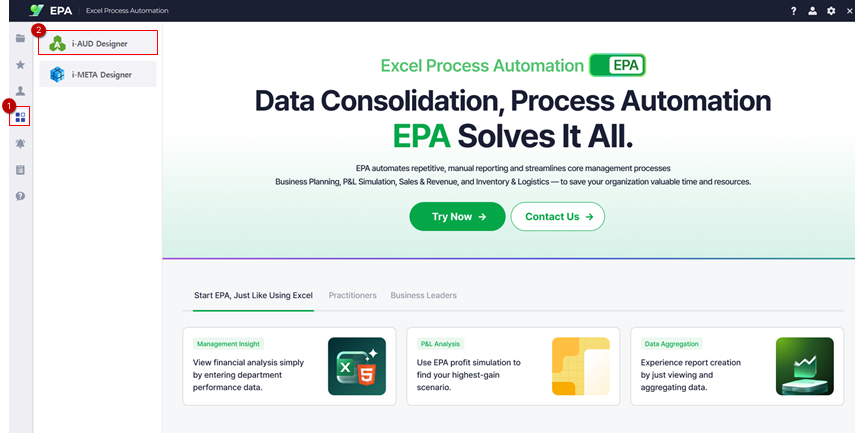
Open the i-AUD Designer by navigating to [Menu] → [Tool].
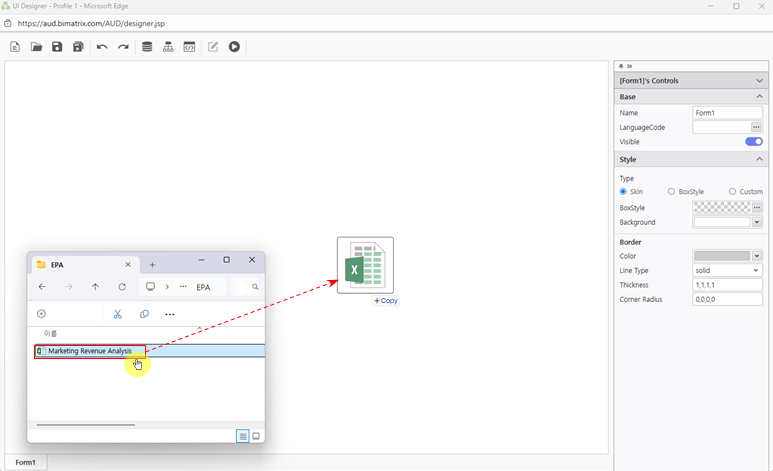
Drag and drop your Excel file into the Designer workspace. The Excel report will appear in web view, preserving the original layout.
Adjust Report Layout
Configure automatic resizing for optimal browser display
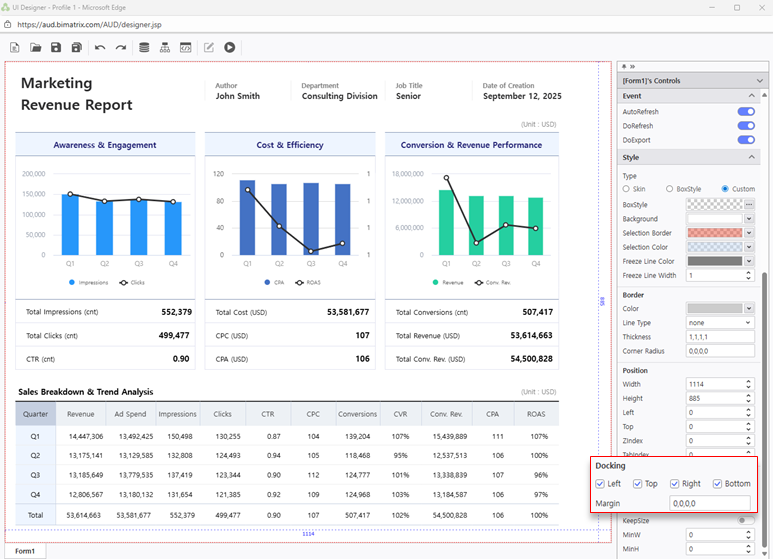
Configure the report layout by setting Docking properties to Left, Top, Right, Bottom. This ensures the report automatically adjusts to fill the available space.
Tip: With Docking enabled on all sides, the report will stretch to fill the browser window automatically.
Save Your Report
Save to My Folder and verify your report is accessible
Click Save and select My Folder as the destination.
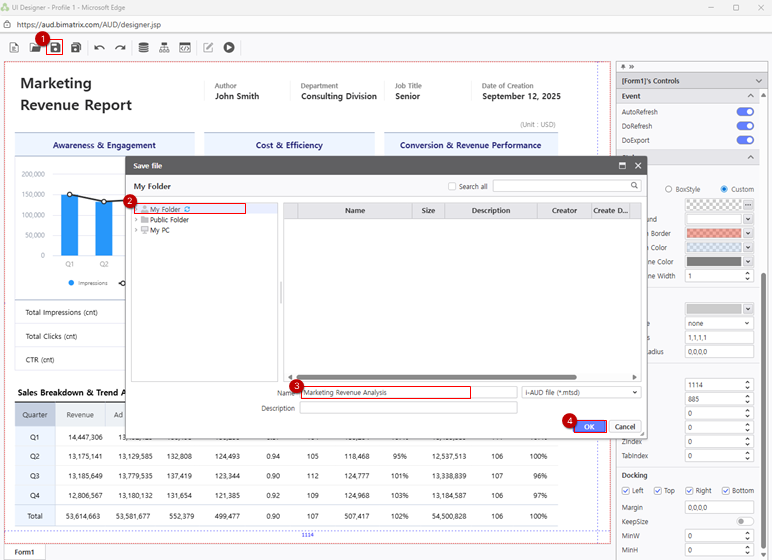
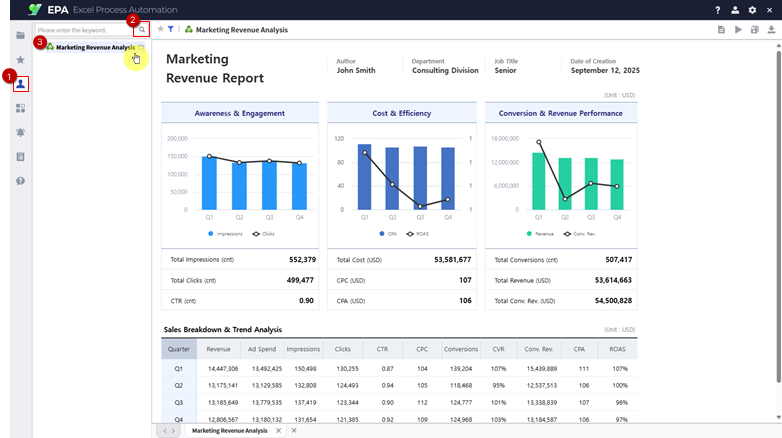
Navigate to [Menu] > [Individual] and click the Search (magnifying glass icon) to refresh the report list and confirm your saved report appears.