Prepare Your Excel File
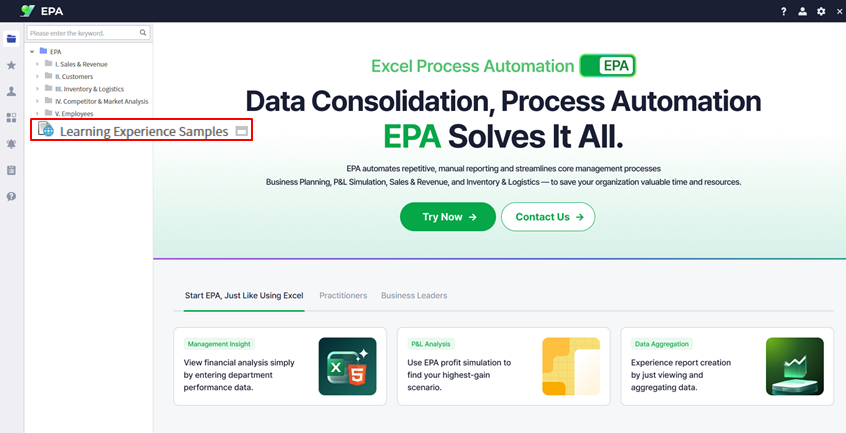
Download the sample file or use your own financial statement
If you don't have an existing Excel financial statement, download the sample file from Learning Experience Samples to follow along with this guide.
Tip: The sample file contains a standard Financial Statement template that includes assets, liabilities, and equity sections.
Convert Excel to Web
Use i-AUD Designer to transform your spreadsheet into a web report
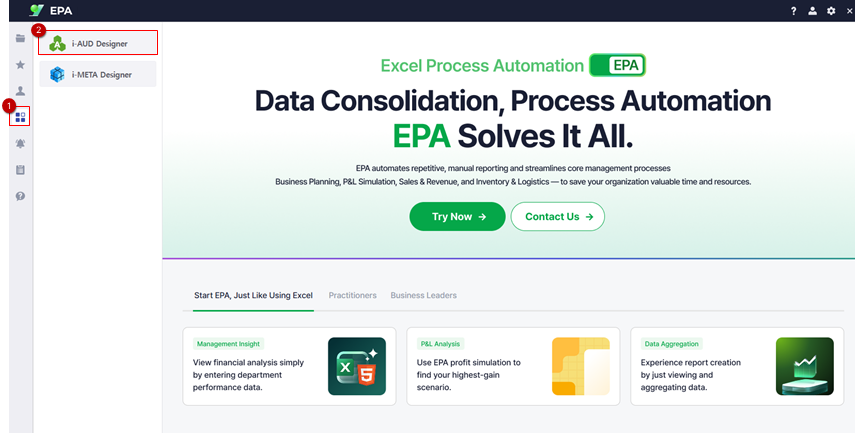
Launch i-AUD Designer from the EPA main screen:
- Navigate to
[Menu]→[Tool] - Select i-AUD Designer to open the design tool
Import your Excel file:
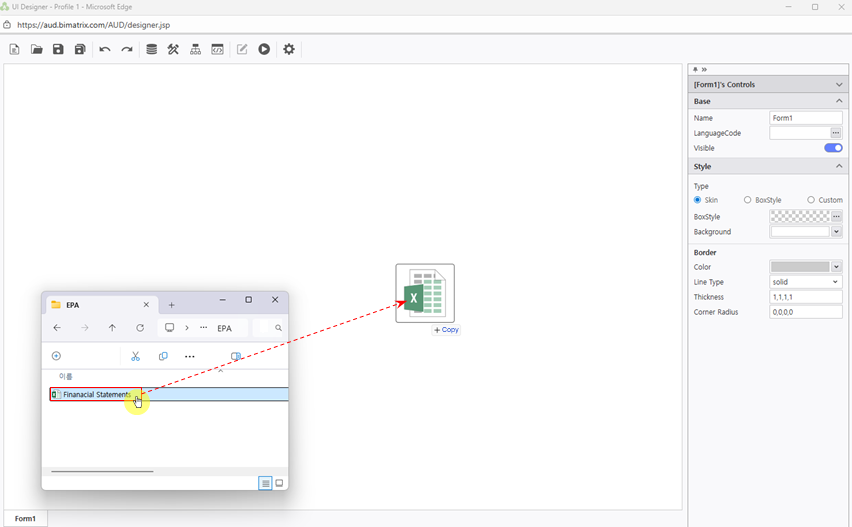
- Drag and drop your Excel file directly into the Designer window
- The spreadsheet will automatically display in web view while maintaining the original formatting
Adjust Report Layout
Configure automatic resizing for optimal browser display
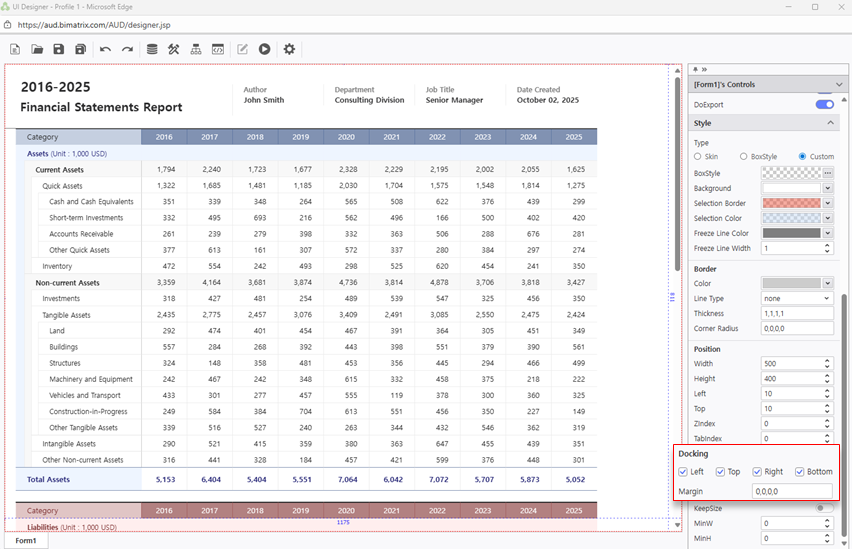
Enable automatic browser resizing so your report adapts to different screen sizes:
- Open the Properties pane on the right side
- Locate the Docking settings
- Set all four directions:
Left,Top,Right,Bottom
Tip: With Docking enabled on all sides, the report will stretch to fill the browser window automatically.
Save Your Report
Save to My Folder and verify your report is accessible
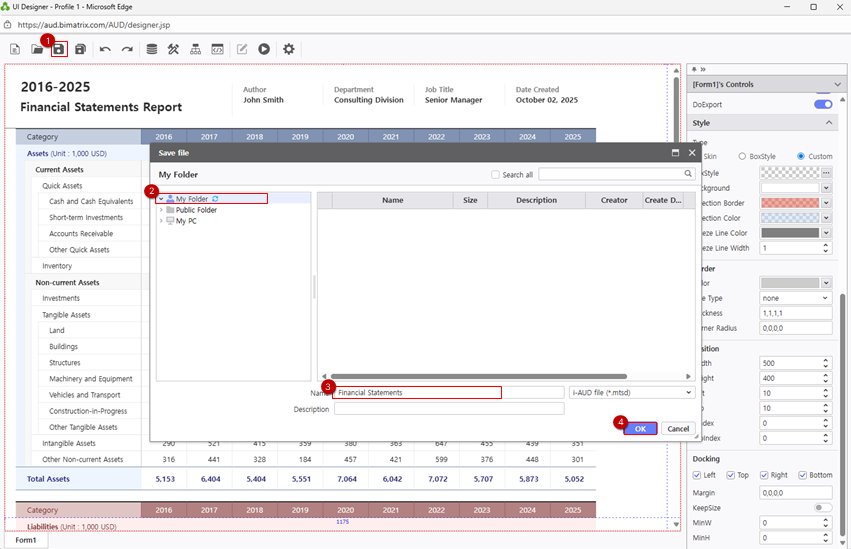
Save your report to your personal folder:
- Click Save and select
My Folderas the destination
Verify your saved report:
- Navigate to
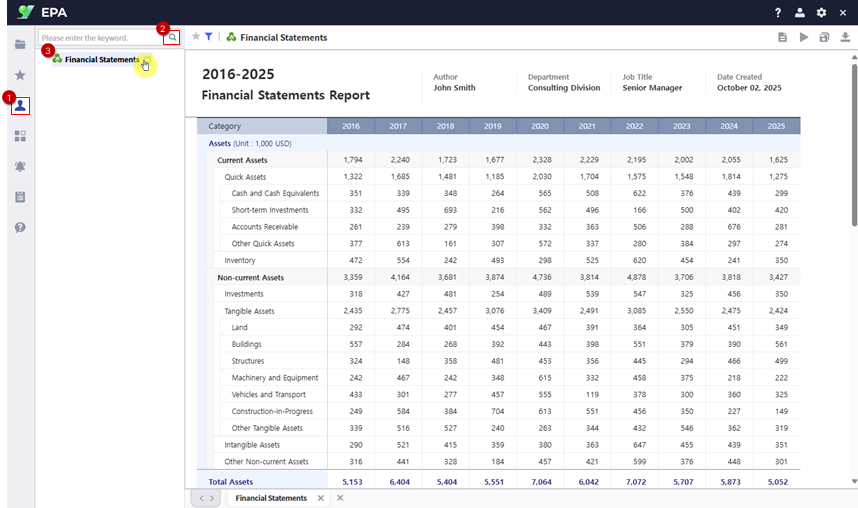
[Menu]→[Individual] - Click the Search button to refresh the list
- Confirm your Financial Statement report appears in the list